Geofencing Marketing for Local Business: Target Customers by Location
slug: geofencing-marketing-local-business · status: draft · score: 81% · 1 versions
View published version → · Contentful entry: yBftPcS53Ock28F0n6Nn1
Validation
| Rule | Detail | |
|---|---|---|
| pass | No banned competitors | No banned competitors |
| pass | No emdashes | No emdashes |
| pass | Avoid AI telltale words | No AI telltale words |
| pass | Primary keyword in title | No primary keyword to check |
| pass | Use contractions | Contractions used |
| warn | Minimum internal links | Only 2 internal links (minimum 3-5) |
| pass | FAQ section required | FAQ section present |
| fail | Author assigned | No author assigned (never use 'Adwave Team' for new content) |
| warn | Title length 50-60 | Title length 69 (aim 50-60 chars) |
| warn | Minimum 4 images | Only 3 image(s); minimum 4 (1 hero + 3 body) |
| warn | SEO description under 160 | seoDescription 164 chars (keep under 160) |
| pass | Adwave mention cadence | 2 Adwave mentions |
| pass | Short description present | shortDescription 171 chars |
| pass | Word count by type | Word count 2673 within target |
| warn | Year-dated title for evergreen types | Year-dated type should include (2026) in the title |
| pass | No manual table of contents | No manual TOC |
Images (3)
Content
--- title: Geofencing Marketing for Local Business: Target Customers by Location slug: geofencing-marketing-local-business shortDescription: Learn how geofencing marketing helps local businesses target customers in specific locations with mobile and TV ads. Complete guide to strategy, costs, and implementation. seoDescription: Geofencing marketing lets local businesses target customers by location. Learn how to set up geo-targeted campaigns on mobile, CTV, and digital ads starting at $50. resourceType: Guides resourceDate: 2026-01-09 ---
Geofencing Marketing for Local Business: Target Customers by Location
Your customers live and work in specific places. Geofencing marketing lets you reach them precisely where they are - whether that's within five miles of your store, at a competitor's location, or in neighborhoods where your ideal customers live.
Location-based advertising has transformed how local businesses compete. Instead of paying to reach everyone in a metro area, you can focus your budget on the exact zip codes, neighborhoods, or even individual addresses that matter most to your business.
This guide explains what geofencing is, how it works across different advertising platforms, and how local businesses can implement location-based campaigns without enterprise budgets.
What is geofencing marketing?
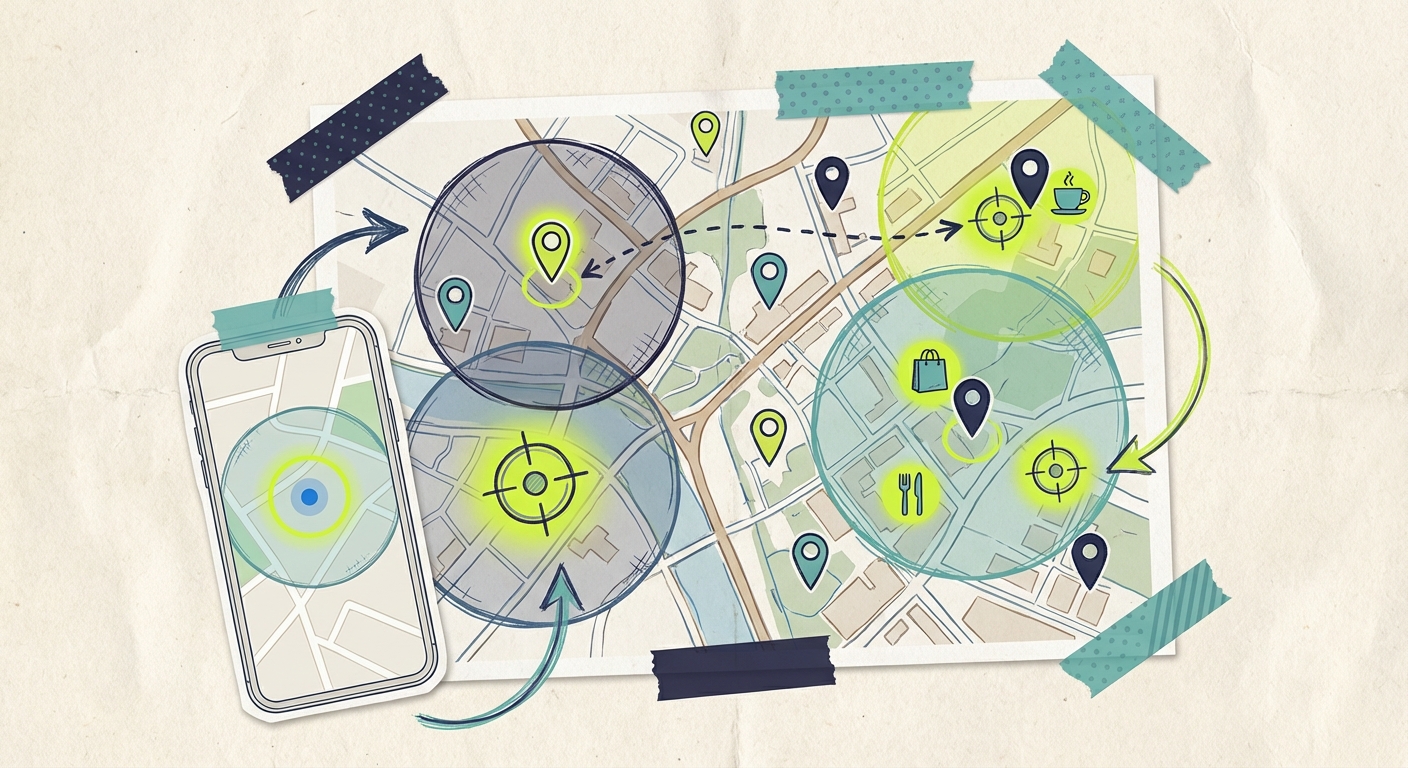
Geofencing marketing uses GPS, IP addresses, and mobile device signals to deliver ads to people within defined geographic boundaries. When someone enters your designated area - your "geofence" - they become eligible to see your advertising.
Think of it as drawing a virtual boundary around locations that matter to your business. Everyone inside that boundary is a potential ad viewer. Everyone outside isn't.
The technology powering geofencing has grown increasingly sophisticated. Early geofencing could only target broad areas like cities or counties. Today's platforms can target areas as small as a single building or as precise as a 100-meter radius.
How geofencing differs from traditional geographic targeting
Traditional geographic targeting works at the city, state, or DMA (designated market area) level. When you run a TV commercial on local stations, you're reaching everyone in your metro area - including many viewers who will never become customers.
Geofencing operates at a much finer level. Instead of targeting "Phoenix," you can target:
- A one-mile radius around your business
- Specific zip codes where your customers live
- Shopping centers where your competitors operate
- Business districts with high concentrations of your target audience
This precision eliminates waste. Every dollar goes toward reaching people in locations relevant to your business.
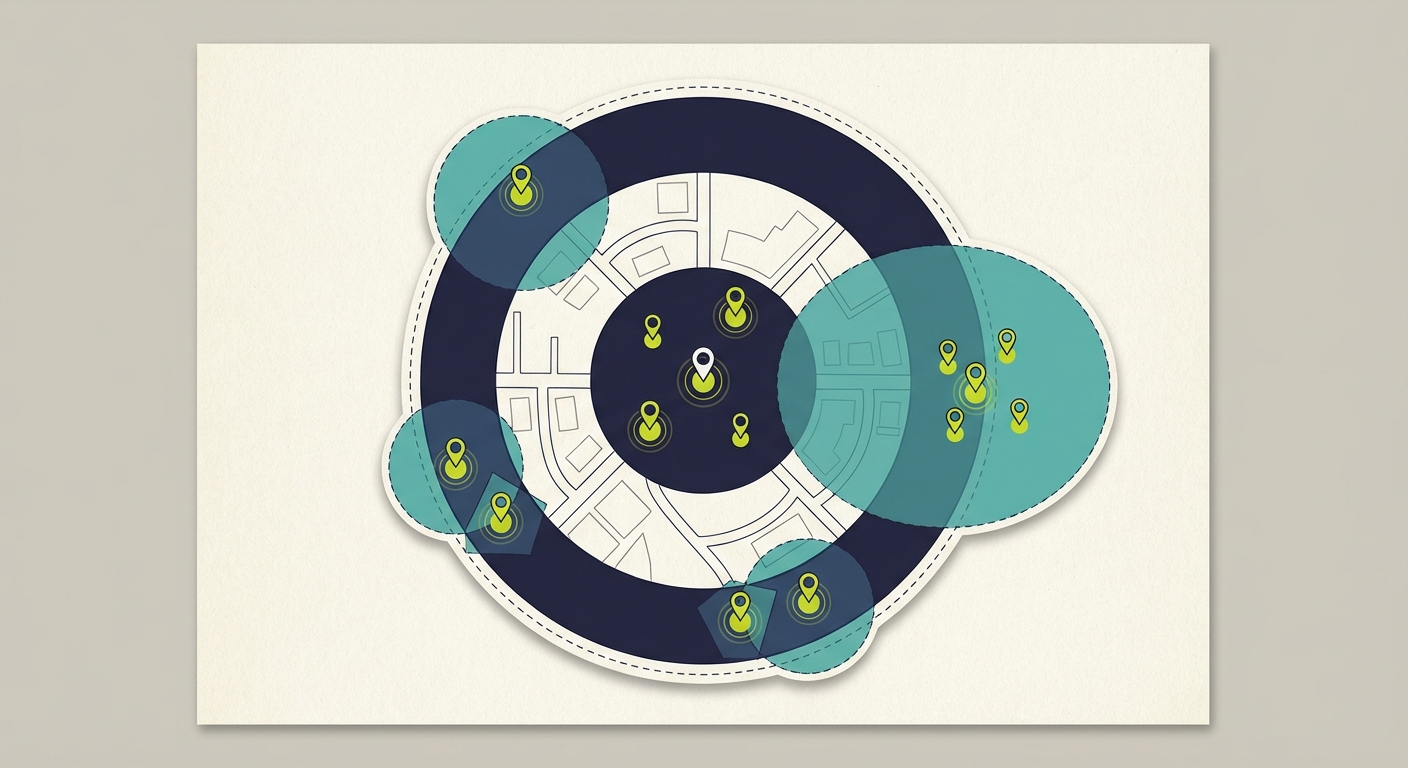
Types of geofencing for local businesses
Geofencing strategies fall into several categories, each serving different marketing objectives.
Proximity targeting
The simplest form of geofencing targets people near your business location. A restaurant might target viewers within a two-mile radius during dinner hours. A retail store might expand that to five miles during weekend shopping periods.
Proximity targeting works well for:
- Driving immediate foot traffic
- Building awareness in your immediate neighborhood
- Reaching people who pass by regularly
Competitor targeting
Geofencing allows you to target people who visit your competitors' locations. A car dealership can reach people who visited other dealerships in the area. A gym can target people near competing fitness centers.
This tactic is particularly effective for businesses in competitive markets where customers shop multiple options. You're reaching people already in-market for your product or service category.
Important note: Competitor targeting must be done carefully and ethically. You're targeting geographic locations, not accessing competitors' customer lists. The targeting is based on physical presence in an area, not personal data.
Neighborhood targeting
Instead of targeting specific addresses, neighborhood targeting focuses on residential areas where your ideal customers live. A luxury home services company might target high-income zip codes. A family restaurant might target neighborhoods with many young families.
This approach works well for:
- Businesses serving specific demographic segments
- Service companies with defined ideal customer profiles
- Building awareness in expansion areas
Event and venue targeting
Temporary geofences around events, venues, or seasonal locations can reach highly relevant audiences. Examples include:
- Home improvement stores targeting home show attendees
- Sports bars targeting viewers near stadiums on game days
- Wedding vendors targeting attendees at bridal expos
Event targeting requires planning and often short campaign windows, but can deliver highly concentrated audiences.
![geofence-types.png: Visual diagram showing four types of geofencing - proximity, competitor, neighborhood, and event targeting with example radius sizes]
Geofencing across advertising channels
Location-based targeting works differently across various advertising platforms. Understanding these differences helps you choose the right approach.
Mobile app advertising
Mobile devices provide the most precise location data through GPS and app-based signals. When users allow location access for apps, advertisers can target them based on real-time or historical location.
Mobile geofencing enables:
- Real-time targeting (reach people while they're in a location)
- Historical targeting (reach people who visited a location previously)
- Foot traffic attribution (measure store visits after ad exposure)
Mobile CPMs (cost per thousand impressions) for geofenced ads typically run $8 to $25, higher than run-of-network mobile ads but with far greater relevance.
Connected TV advertising
Streaming TV platforms offer geographic targeting through IP address matching and household-level data. While not as precise as GPS, CTV geofencing can target viewers down to the zip code level in most cases.
CTV geofencing advantages:
- Full-screen, high-attention format
- Household-level reach (both decision-makers see the ad)
- Premium content environments
- No ad blockers
CTV geofencing limitations:
- Less precise than mobile (typically zip code vs. address-level)
- No real-time location capability
- Targeting based on home location, not current location
For most local businesses, CTV's zip code-level targeting provides sufficient precision while delivering the brand-building impact of television.
Digital display advertising
Display networks offer location targeting through IP addresses and third-party data. Precision varies by network and data provider.
Display geofencing tends to be:
- Less expensive than mobile or CTV ($3 to $10 CPMs)
- Lower attention and completion rates
- Subject to ad blocking
- Variable quality depending on network
Social media advertising
Platforms like Facebook and Instagram offer location targeting, though privacy changes have reduced precision in recent years.
Social geofencing options:
- Radius targeting around addresses
- Zip code and city targeting
- Location-based interest targeting
Social platforms excel at combining location with demographic and interest targeting, though pure location precision is lower than dedicated geofencing platforms.
Setting up a geofencing campaign
Launching effective geofencing campaigns requires strategic planning. Here's a step-by-step approach for local businesses.
Step 1: Define your service area
Before drawing geofences, clearly define where your customers come from. Analyze your existing customer data:
- What zip codes do most customers live in?
- How far do customers typically travel to reach you?
- Are there natural boundaries (highways, rivers, neighborhoods) that define your market?
Most local businesses find that 60 to 80 percent of customers come from a concentrated area. Focus your geofencing budget there first.
Step 2: Identify high-value locations
Beyond your immediate service area, identify specific locations where your ideal customers concentrate:
- Competitor locations: Where else do your customers shop?
- Complementary businesses: What other services do your customers use?
- Employment centers: Where do your customers work?
- Residential concentrations: Where do your customers live?
Create a prioritized list of target locations based on estimated customer concentration.
Step 3: Choose your platform and targeting precision
Different platforms offer different capabilities:
Mobile geofencing works best for immediate action, offering very high precision (100m+) with a minimum budget of $500-1,000/month. CTV/Streaming excels at brand awareness with moderate zip code precision, starting at just $50+. Display advertising provides broad reach with variable precision at $200+ minimum. Social media offers combined targeting with moderate precision starting around $100+.
For most local businesses, starting with CTV geofencing through platforms like Adwave offers the best balance of brand impact and budget accessibility.
Step 4: Create location-relevant creative
Generic ads waste geofencing's potential. Create messaging that acknowledges the viewer's location:
- "Serving [neighborhood name] for 25 years"
- "Just minutes from [landmark]"
- "Your neighbors in [zip code] trust us"
Location-specific creative increases relevance and response rates.
Step 5: Set appropriate frequency caps
Geofenced audiences are smaller than broad geographic targets. Without frequency caps, you'll oversaturate your audience quickly.
Recommended frequency caps:
- CTV: 3-5 impressions per household per week
- Display: 5-7 impressions per user per week
- Mobile: 3-5 impressions per device per week
Monitor frequency metrics and adjust if viewers see your ads too often.
![campaign-setup.png: Step-by-step geofencing campaign setup flow showing audience definition, location selection, platform choice, creative development, and frequency management]
Geofencing costs for local businesses
Location-based advertising costs more per impression than untargeted advertising - but delivers better results because of increased relevance.
Cost structures by platform
CTV/Streaming geofencing:
- CPMs: $20 to $40
- Minimum budgets: Often $50 to $100
- Best value for awareness and consideration
Mobile geofencing:
- CPMs: $8 to $25
- Minimum budgets: $500 to $1,000 typical
- Best value for immediate action campaigns
Display geofencing:
- CPMs: $5 to $15
- Minimum budgets: $200+ typical
- Best value for broad reach at low cost
Social geofencing:
- CPMs: $8 to $20
- Minimum budgets: Flexible
- Best value for combining location with interests
Budget recommendations by business type
Retail stores (single location): Start with $500 to $1,000 monthly targeting a three to five mile radius. Expand based on results.
Service businesses (defined territory): Allocate $1,000 to $2,500 monthly across your full service area, with heavier weighting in top-performing zip codes.
Multi-location businesses: Budget $300 to $800 per location, with campaigns tailored to each location's specific market.
ROI calculation
Measure geofencing ROI by comparing customer acquisition cost to customer lifetime value:
Example calculation:
- Monthly geofencing spend: $1,500
- Impressions delivered: 75,000
- Website visits attributed: 450
- Store visits attributed: 85
- New customers acquired: 12
- Cost per new customer: $125
- Average customer lifetime value: $800
- ROI: 540%
Track these metrics consistently to optimize budget allocation.
Measuring geofencing campaign performance
Geofencing success metrics go beyond clicks and impressions. Focus on these key indicators:
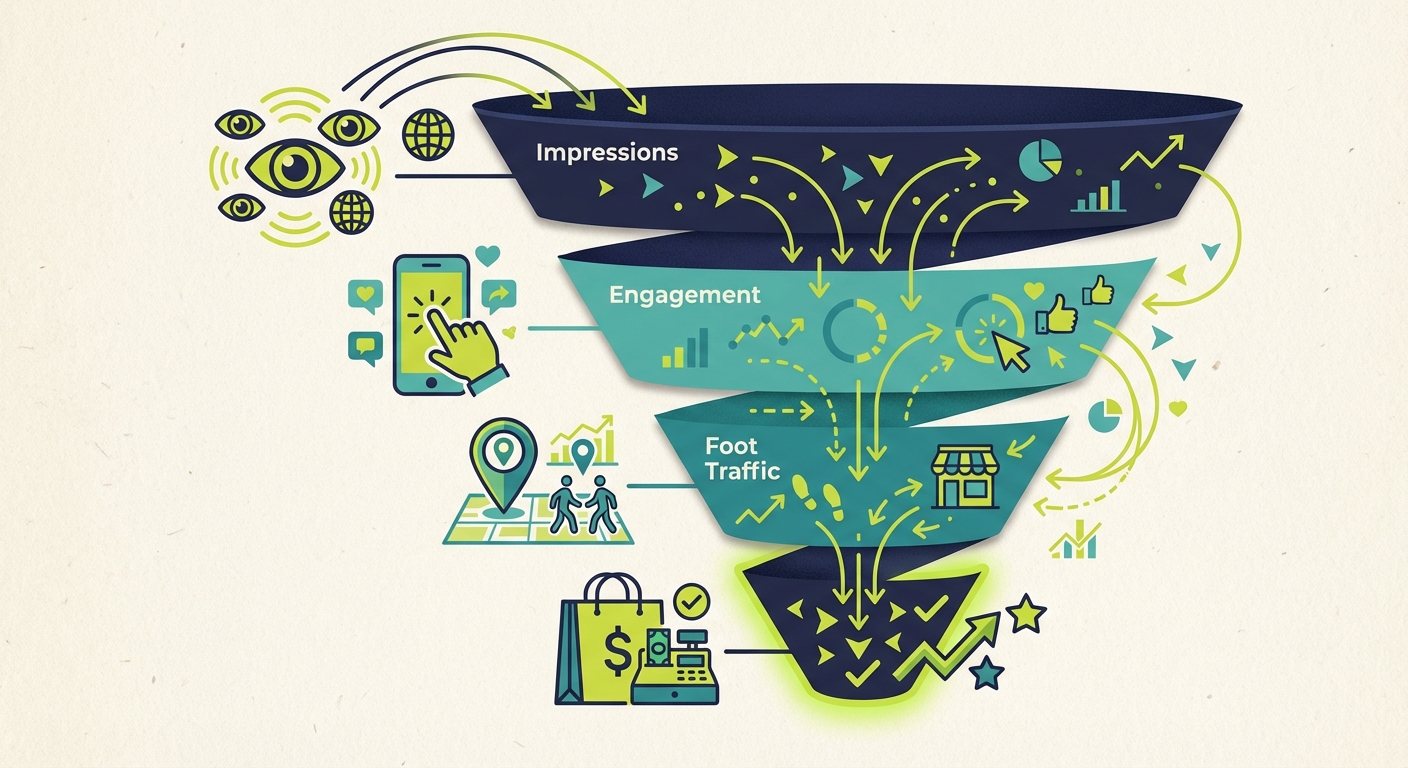
Foot traffic attribution
The gold standard for local business geofencing is measuring store visits. Mobile-based geofencing can track whether ad-exposed users later visited your physical location.
Foot traffic attribution requires:
- Mobile campaign with location tracking
- Sufficient impression volume (typically 10,000+ monthly)
- Time for visits to occur (measure over 14-30 days)
Website traffic by location
Analytics platforms show where your website visitors come from. During geofencing campaigns, monitor:
- Traffic from targeted zip codes/cities
- Changes in geographic distribution of visitors
- Landing page performance by visitor location
Brand search lift
When geofencing builds awareness, branded searches increase. Track:
- Google searches for your business name
- Searches from your target geographic area
- Changes during campaign periods
Direct response tracking
For campaigns with direct response goals, implement:
- Dedicated phone numbers for geofenced ads
- Location-specific promo codes
- Campaign-specific landing pages
Common geofencing mistakes to avoid
Local businesses new to geofencing often make these correctable errors:
Drawing geofences too large
Bigger isn't better. A 50-mile radius geofence around your store dilutes your budget across viewers unlikely to visit. Start with tight geofences (one to three miles) and expand only when you've saturated closer areas.
Ignoring time-of-day targeting
A breakfast restaurant doesn't need to reach viewers at 9 PM. A bar doesn't need morning impressions. Layer day-parting on top of geofencing to focus budget when customers are most likely to act.
Using generic creative
"Best pizza in town" is generic. "Delivering to [neighborhood] in 30 minutes" uses your location targeting. Make your creative as location-specific as your targeting.
Insufficient frequency for awareness
Geofencing small areas means smaller audiences. If you're trying to build awareness, ensure each viewer sees your ad multiple times. One impression rarely drives action.
Not testing different locations
Don't assume you know which locations will perform best. Test multiple geofences and compare performance. You may discover high-value locations you hadn't considered.
Geofencing for specific business types
Different industries benefit from different geofencing approaches.
Restaurants and food service
Target locations:
- Immediate neighborhood (delivery/pickup radius)
- Office buildings during lunch hours
- Residential areas during dinner hours
- Competitor locations
Timing considerations:
- Breakfast: 6-9 AM the night before
- Lunch: 10 AM - 1 PM same day
- Dinner: 3-7 PM same day
Home services
Target locations:
- Residential neighborhoods matching customer demographics
- New construction areas
- Recently sold home clusters
- Home improvement stores
Timing considerations:
- Weekday evenings (homeowners at home)
- Weekend mornings (project planning time)
Retail stores
Target locations:
- Shopping centers with your target demographic
- Competitor stores (same category)
- Complementary retailers
- Event venues
Timing considerations:
- Weekend shopping hours
- Evening hours for working professionals
- Seasonal peaks (holidays, back-to-school)
Professional services
Target locations:
- Business districts (B2B services)
- Residential neighborhoods (B2C services)
- Industry-specific venues
- Professional association event locations
Timing considerations:
- Business hours for B2B
- Evening hours for B2C
- Event-specific windows
Advanced geofencing strategies
Once you've mastered basic geofencing, these advanced approaches can improve results.
Layered targeting
Combine geographic targeting with demographic or behavioral data:
- Women 25-45 within 5 miles (for a boutique)
- Homeowners within specific zip codes (for contractors)
- Sports enthusiasts near your sports bar
Sequential messaging
Serve different messages based on location history:
- First exposure: Awareness message
- After website visit: Consideration message
- Near your location: Conversion message
Conquest campaigns
Strategically target competitor locations with comparative messaging:
- "Switch to [your business] and save 20%"
- "Better service, same neighborhood"
- Focus on your unique advantages
Seasonal geofence adjustments
Expand or contract geofences based on seasonal patterns:
- Wider radius during slower seasons
- Tighter radius during peak seasons
- Event-specific temporary geofences
Common questions
How precise is geofencing targeting?
Precision varies by platform and data source. Mobile GPS targeting can be accurate within 100 meters. CTV and display targeting typically work at the zip code level. For most local business applications, zip code precision is sufficient.
Is geofencing expensive for small businesses?
Geofencing CPMs are higher than untargeted advertising, but total costs can be lower because you're reaching smaller, more relevant audiences. A local business can run effective CTV geofencing campaigns for $50 to $500 monthly.
Can I target my competitors' customers?
You can target geographic areas around competitor locations. This reaches people who visit those areas, which likely includes competitor customers. You cannot access actual customer lists from competitors.
How long until I see results from geofencing?
Immediate-action campaigns (retail, restaurants) can show results within days. Awareness campaigns for considered purchases may take weeks or months to impact sales. Measure website traffic and brand searches for early indicators.
What's the difference between geofencing and geotargeting?
These terms are often used interchangeably. Technically, geofencing refers to triggering ads when someone enters a defined area, while geotargeting broadly refers to any location-based targeting. For practical purposes, they mean the same thing for most advertisers.
Getting started with geofencing
Location-based advertising levels the playing field for local businesses. You don't need a national brand's budget to reach your community effectively - you just need to target smarter.
Start with these steps:
- Map your customer base geographically
- Identify three to five priority targeting areas
- Choose a platform that fits your budget (CTV for brand building, mobile for direct response)
- Create location-relevant creative
- Launch with conservative budgets and test
- Measure, optimize, and expand
The local businesses winning today aren't reaching the most people - they're reaching the right people in the right places. Geofencing marketing makes that precision accessible to any business with a local customer base.
Ready to reach customers in your neighborhood? Adwave offers zip code-level targeting for streaming TV advertising, starting at just $50. Put your business on the big screen in the communities that matter most.
Version history
| Version | When | Summary |
|---|---|---|
| v1 | 6/20/2026, 3:11:54 AM | migration import |