Your First TV Ad: A Step-by-Step Guide for Absolute Beginners
slug: first-tv-ad-beginners-guide · status: draft · score: 76% · 1 versions
View published version → · Contentful entry: 3HkaaVoqVyhQOqBFYk9l5j
Validation
| Rule | Detail | |
|---|---|---|
| pass | No banned competitors | No banned competitors |
| pass | No emdashes | No emdashes |
| pass | Avoid AI telltale words | No AI telltale words |
| pass | Primary keyword in title | No primary keyword to check |
| pass | Use contractions | Contractions used |
| fail | Minimum internal links | Internal links not in sitemap: /resources/what-is-connected-tv-advertising, /resources/what-is-connected-tv-advertising, /how-it-works, /channels, /features, /try-free, /example-tv-ads, /how-it-works |
| fail | FAQ section required | Missing FAQ / 'Common questions answered' section |
| fail | Author assigned | No author assigned (never use 'Adwave Team' for new content) |
| pass | Title length 50-60 | Title length 61 |
| pass | Minimum 4 images | 4 images |
| pass | SEO description under 160 | seoDescription 158 chars |
| pass | Adwave mention cadence | 4 Adwave mentions |
| pass | Short description present | shortDescription 157 chars |
| warn | Word count by type | Word count 2286 below target (2500-5000) |
| warn | Year-dated title for evergreen types | Year-dated type should include (2026) in the title |
| pass | No manual table of contents | No manual TOC |
Images (4)
Content
Your First TV Ad: A Step-by-Step Guide for Absolute Beginners
Subtitle: From zero experience to your ad on air: a complete beginner's roadmap
SEO Description: Learn how to create and launch your first TV ad, even with no experience. This step-by-step guide covers budgets, targeting, creative options, and launching on streaming platforms.
---
You've probably seen TV commercials your entire life. Big brands with big budgets, slick production, prime-time slots. It's easy to assume that creating your first TV ad requires six figures and a film crew. This TV ad guide is here to show you otherwise.
Here's the reality: TV advertising for beginners is more accessible than ever. You can have a TV commercial running on streaming platforms like Hulu, Roku, and Peacock for as little as $50. No production company. No media buyer. No prior experience required.
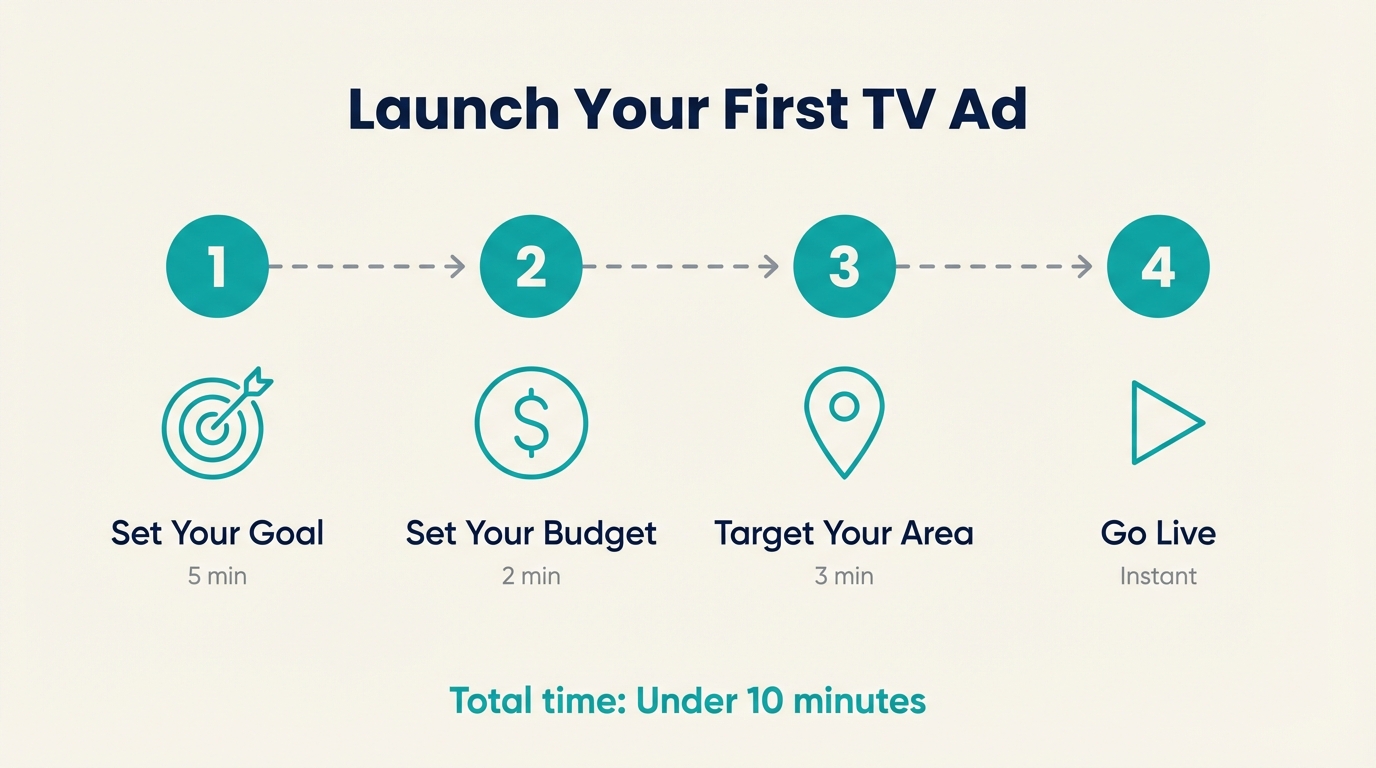
This guide walks you through everything about how to make a TV commercial, step by step. By the end, you'll know exactly how to start TV advertising, even if you've never done anything beyond boosting a Facebook post.
Step 1: Define What Success Looks Like
Before spending a dollar, get clear on what you're trying to accomplish. TV advertising works differently than the digital ads you might be used to.
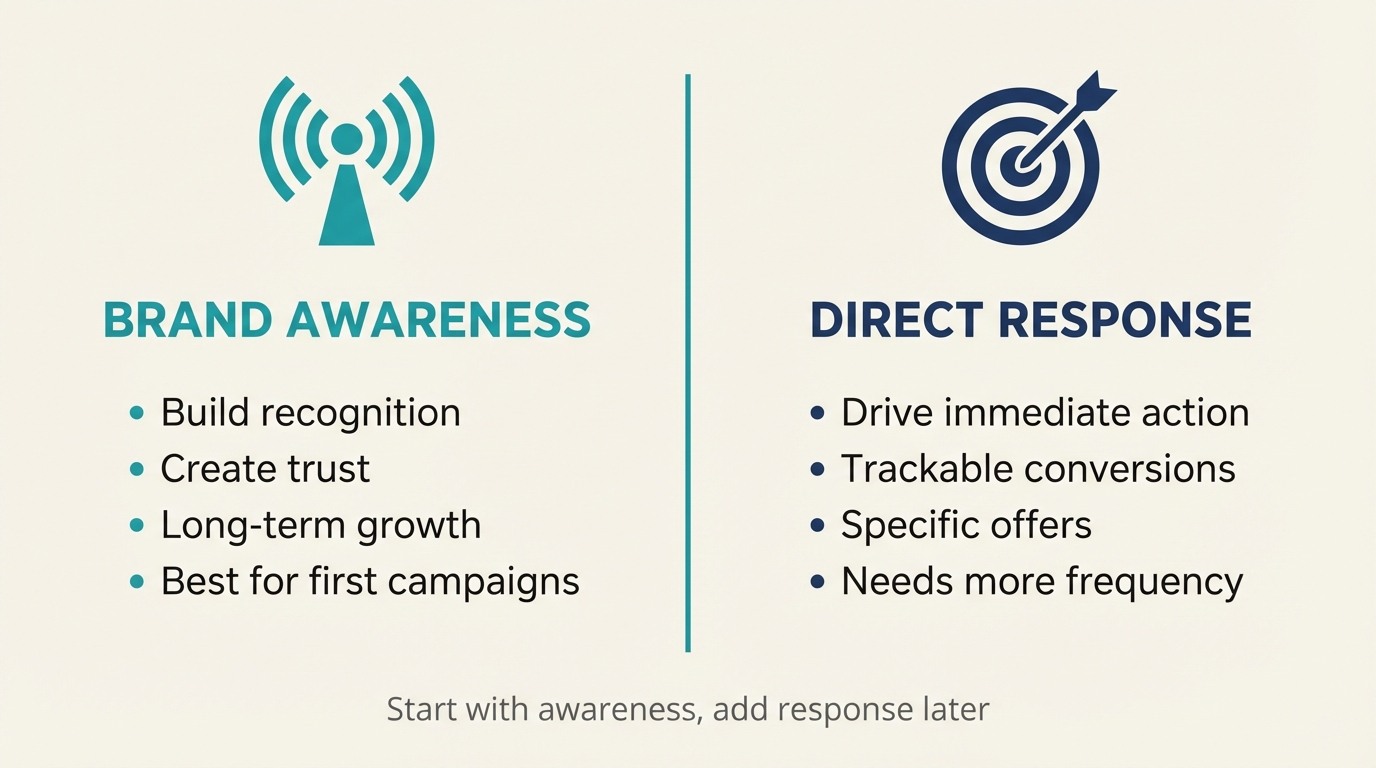
Brand Awareness Goals:
- Getting your name in front of local households
- Building familiarity so people recognize you when they need your service
- Creating trust through the "as seen on TV" effect
Direct Response Goals:
- Driving phone calls or website visits
- Promoting a specific offer or event
- Generating leads for your sales process
For your first TV campaign, brand awareness is usually the smarter starting point. Why? TV is a top-of-funnel channel that works best when people see your ad multiple times before taking action.
Realistic First-Campaign Expectations:
- A $100-$500 budget gets you thousands of impressions
- Most viewers need 3-7 exposures before taking action
- Results often appear gradually over 2-4 weeks
- Brand lift (recognition, recall) happens before measurable sales lift
Don't expect your phone to ring off the hook the day after your ad airs. That's not how TV works. Think of your first campaign as planting seeds.
Step 2: Set Your Budget
Here's the honest conversation about money. TV advertising has traditionally been expensive because of two costs: production (making the commercial) and media (running it).
Traditional TV Costs:
- Production: $5,000-$50,000+ for a professionally shot commercial
- Media buying: Often $10,000+ minimum commitments
Modern Streaming TV Costs:
- Production: $0 with AI-powered tools (Adwave creates your ad free)
- Media: Starting at $50 minimum
What does each budget level get you?
$50-$100: Testing the waters. A few thousand impressions over a week or two. Good for seeing how the process works and getting your first ad live. Think of it as a learning investment.
$250-$500: A real starter campaign. Enough impressions for meaningful reach within a local area. You'll start seeing how your ad performs across different times and channels.
$1,000-$2,500: Serious local presence. Multiple weeks of consistent exposure. Enough data to understand what's working. This is where many small businesses find their sweet spot.
$5,000+: Market saturation. High frequency, broader geographic targeting, potential for measurable business impact.
The beauty of streaming TV advertising is you can start small, learn, and scale what works. You don't need to commit $50,000 to find out if TV is right for your business.
Step 3: Know Your Audience
TV targeting has evolved dramatically. On streaming platforms (also called Connected TV or CTV), you can target with precision that rivals digital advertising.
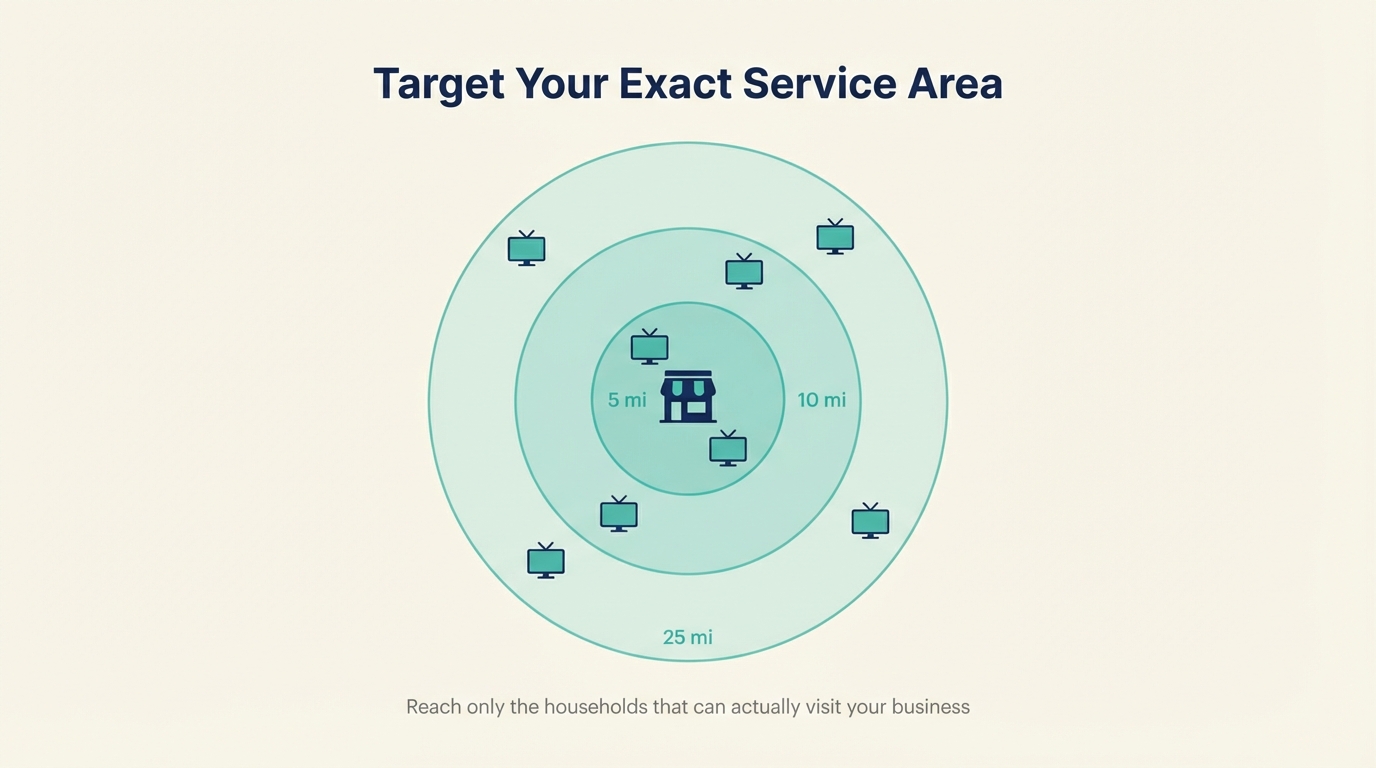
Geographic Targeting: This is the most important decision for local businesses. You can target:
- A radius around your business address (5, 10, 15, 25 miles)
- Specific ZIP codes
- Cities, counties, or metro areas
- State or national (for e-commerce or broader businesses)
Most local service businesses start with a 10-15 mile radius. A restaurant might go tighter (5 miles). A specialty retailer might go wider (25+ miles).
Demographic Targeting: Behind the scenes, platforms optimize for relevant households based on:
- Age ranges
- Household income
- Presence of children
- Homeownership status
- Interest categories
The good news for beginners: you don't need to obsess over demographic targeting for your first campaign. Start with geographic targeting and let the platform's algorithms do the optimization work.
Step 4: Create Your Commercial
This is where most beginners get stuck. How do you actually make a TV commercial?
You have three options:
Option 1: AI-Powered Creation (Recommended for Beginners)
Platforms like Adwave can generate a broadcast-ready commercial from just your website URL. The AI:
- Pulls your images and branding
- Creates a script based on your business
- Assembles a 30-second commercial
- Adds professional voiceover and music
Time required: 2-5 minutes. Cost: Free (you only pay to run the ad).
This is the best option for your first TV ad because it removes the biggest barrier to entry. You can always upgrade to custom production later once you've proven TV works for your business.
Option 2: DIY Video
If you have video footage of your business, products, or services, some platforms accept uploaded videos. Requirements:
- 15 or 30 seconds in length
- High resolution (1080p minimum)
- Clear audio
- No music with copyright issues
This works if you already have professional video content. It's harder if you're starting from scratch.
Option 3: Professional Production
For businesses with larger budgets or specific creative visions, hiring a production company remains an option. Expect:
- $5,000-$25,000 for local production
- 4-8 weeks from concept to finished ad
- Excellent quality but significant investment
For your first TV ad, we recommend starting with AI creation. If TV proves effective for your business, you can always invest in custom production for future campaigns.
Step 5: Choose Where to Run Your Ad
Streaming TV advertising runs across 100+ premium channels including NBC, Hulu, ESPN, Peacock, Tubi, and more. Unlike traditional cable where you pick specific channels, modern CTV advertising uses programmatic technology to place your ad where your target audience is actually watching.
What This Means For You:
You don't need to guess whether your customers watch HGTV or ESPN. The platform analyzes viewing behavior and places your ad accordingly. Your 30-second spot might run during:
- A cooking show on Food Network
- A drama series on Peacock
- Local news on NBC
- Sports content on ESPN
Timing Considerations:
Most platforms optimize timing automatically, but here's what you should know:
- Prime time (7-11 PM) has the highest viewership but also highest demand
- Daytime and late-night have lower CPMs (cost per thousand impressions)
- Weekends typically see higher streaming viewership
For your first campaign, trust the platform's optimization. You can get more granular with timing after you have baseline data.
Step 6: Launch and Learn
You've set your goals, established your budget, defined your audience, created your ad, and selected your platforms. Now it's time to launch.
What Happens When You Go Live:
Your ad enters the programmatic marketplace and begins appearing on streaming platforms within 24-48 hours. You'll be able to see:
- How many times your ad has been viewed (impressions)
- Which channels your ad ran on
- Geographic distribution of your viewers
- Budget pacing (how your spend is tracking)
What to Watch in Week One:
- Delivery pace: Is your budget spending as expected?
- Completion rate: Are viewers watching your full ad?
- Geographic reach: Are impressions concentrated where you targeted?
Don't make changes in the first few days. Let the campaign run and gather data before drawing conclusions.
Tracking Results:
Some results you can measure directly:
- QR code scans (if you include one)
- Website traffic spikes
- "How did you hear about us?" tracking
Some results take longer to appear:
- Brand awareness lift
- Increased foot traffic
- More customers mentioning they "saw your ad"
Adwave's dashboard shows your campaign performance in real-time, including impressions, spend, and an interactive map of where your audience watched.
Common First-Timer Mistakes to Avoid
After helping thousands of small businesses run their first TV ads, these are the patterns that trip people up:
Mistake 1: Expecting Instant Results TV builds brand awareness over time. If you're expecting phone calls the next morning, you'll be disappointed. Plan for a 2-4 week minimum campaign to see meaningful impact.
Mistake 2: Targeting Too Broadly Excitement about reaching "everyone" leads to diluted impact. A tighter geographic focus with higher frequency beats broad reach with low frequency. Start local, expand what works.
Mistake 3: Overthinking Creative Your first ad doesn't need to be perfect. It needs to exist. AI-generated ads perform well because they're consistent and professional. You can refine creative in future campaigns based on what you learn.
Mistake 4: Setting and Forgetting Check your campaign at least weekly. Look for patterns. Ask new customers how they found you. The data you gather informs smarter decisions for your next campaign.
Mistake 5: Comparing to Social Media Metrics TV doesn't generate clicks the same way Facebook ads do. You won't see cost-per-click or conversion attribution the way you might with Google Ads. That doesn't mean it's not working. It means it works differently.
Ready to Launch Your First TV Ad?
TV advertising isn't just for big brands with big budgets anymore. With streaming platforms and AI-powered tools, any business can have a professional commercial running on premium channels, starting at just $50.
The hardest part is deciding to start. Everything else, as you've just read, is simpler than you probably expected.
Adwave is built specifically for first-timers. Provide your website URL, and the platform creates your commercial in minutes. Set your budget and targeting, and launch, sometimes in the same session. See example TV ads from businesses like yours, or check out how it works to see the process in action.
Your first TV ad is closer than you think.
Version history
| Version | When | Summary |
|---|---|---|
| v1 | 6/20/2026, 3:11:54 AM | migration import |